
Get started in minutes
How it works
From checkout to connected in a few minutes, and most of it happens before you leave home.
-
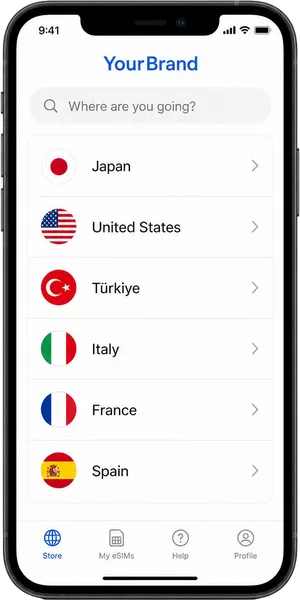
Choose your destination
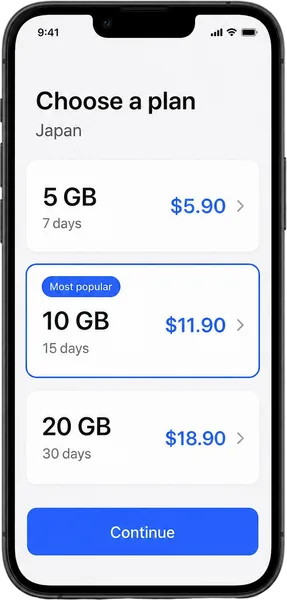
Pick the country or region you are travelling to and how much data you need.
-
Pay in seconds
Pay by card, with no account to create. Your QR code arrives by email straight away.
-
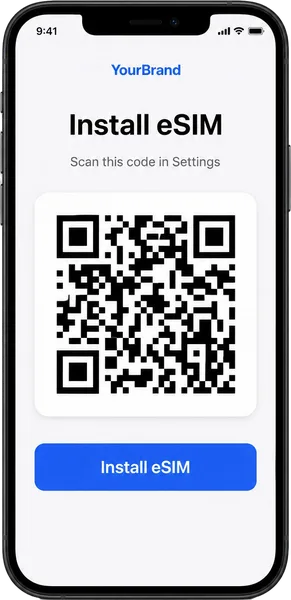
Scan the QR code
Open your phone's settings, add an eSIM and scan the code. It takes about two minutes.
-
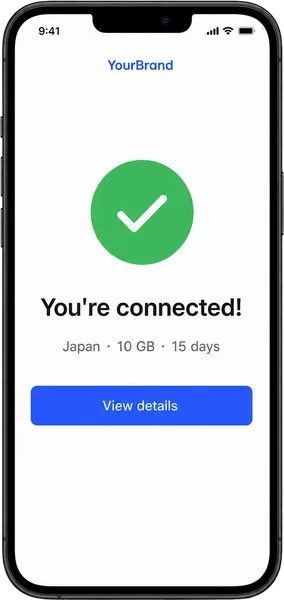
Land and connect
Turn on the eSIM and data roaming when you arrive, and you are online before the baggage carousel starts.
Install guide
Install it in two minutes
Install on iPhone
- Open Settings, then Mobile Service (Cellular on some models).
- Tap Add eSIM, then Use QR Code.
- Scan the QR code from your email and follow the prompts.
- When you land, turn on the eSIM line and Data Roaming.
Install on Android
- Open Settings, then Network & internet (Connections on Samsung).
- Tap SIMs, then Add eSIM or Download a SIM instead.
- Scan the QR code from your email and confirm.
- When you land, switch mobile data to the eSIM and turn on roaming.
Good to know
Frequently asked questions
If yours is not here, the help centre has the long answers.
Visit the help centreWhat is an eSIM?
A digital SIM built into your phone. You install a plan by scanning a QR code, with no plastic card to swap and your own SIM left where it is.
Will my phone work with an eSIM?
Most phones made since 2019 do, including iPhone XS and later, Pixel 3 and later and Galaxy S20 and later. The phone must also be unlocked. Our compatibility page lists the models.
When should I install the eSIM?
Install it at home on Wi-Fi a day or two before you fly. The plan only starts when it first connects to a network at your destination.
Do I keep my WhatsApp number?
Yes. WhatsApp, iMessage and your other apps stay on your usual number. The eSIM only carries the data.
Can I make phone calls?
Most plans are data only. You can still call over WhatsApp, FaceTime or any other app, and your own SIM can stay on for texts such as bank codes.
What happens when my data runs out?
We email you before it does, and you can top up the same eSIM without installing anything new.
Can I use my phone as a hotspot?
Yes. Tethering is allowed on every plan, at the same speed your phone gets.
Can I get a refund?
Yes, as long as the eSIM has not been installed or activated. Once it is installed, we refund it only if it cannot connect because of a network fault.

Ready when you are
Ready for your next trip?
Pick your destination, pay in seconds and land connected.